OSWorld is one of the most popular benchmarks for evaluating agents on computer-use tasks. An agent gets a natural language instruction and a live desktop. It has to finish the task the way a person would, with screenshots, a mouse, and a keyboard. A script then inspects the machine and scores the attempt.
The benchmark covers both Ubuntu and Windows tasks, but most published numbers come from the Ubuntu side: OSWorld distributes a ready-made Ubuntu VM image that its setup downloads automatically, so a Linux run starts with a pip install. There is no downloadable image for the Windows set — 49 tasks across Word, Excel, PowerPoint, and multi-app workflows — so running it typically means installing Windows and Office in a VMware or VirtualBox VM on your own hardware first.
We ran the Windows tasks on Daytona Windows sandboxes instead, and evaluated Claude Opus 4.6 and GPT-5.4 as the computer-use agents. This post covers what the tasks look like, how the two models did, what the runs cost in time, and how to reproduce everything.
The task set
Each OSWorld task is a JSON file with an instruction, a setup block, and an evaluator. The instruction is the only part the agent sees. The setup block puts the machine into a known starting state by opening files and placing documents, and the evaluator checks the final state after the agent stops.
The evaluators are scripts that compare each task's final state against a predefined correct result. A task that asks for a CSV export runs compare_csv against a reference file. A task about line spacing in Word reads the document format directly. An attempt passes or it doesn't.
For these runs, we enabled the runner's strict action policy. It accepts pyautogui and time calls for visible mouse and keyboard work, and rejects shell commands, filesystem access, network calls, and package installation.
The Windows tasks use Microsoft Office heavily. The excel, word, and ppt categories test single-app work, such as exporting a sheet to CSV exactly as displayed or setting the first two paragraphs of a document to double spacing. The multi_app category has 22 tasks that move information between programs.
One task, end to end
One task asks the agent to build a browser-extension project with an online generator, include a background script and browser action, and extract the downloaded project into `Documents\Projects`. The agent gets this instruction:
"Help me to set up an initial web extension project with help of the web tool, tagging it \"happy-extension v0.0.1\". Leave description blank for now. Include a background script and browser action, while other features are not required. Remember to unzip the auto-generated folder into \"Documents\\Projects\"."
Here is Claude Opus 4.6 completing the task:
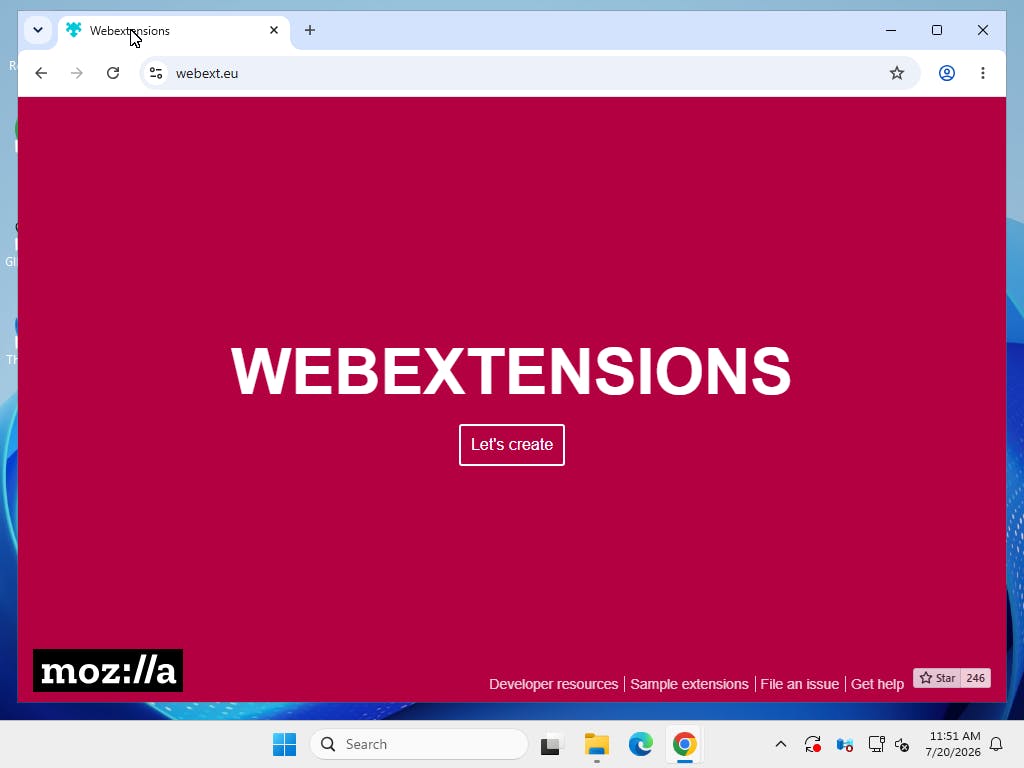
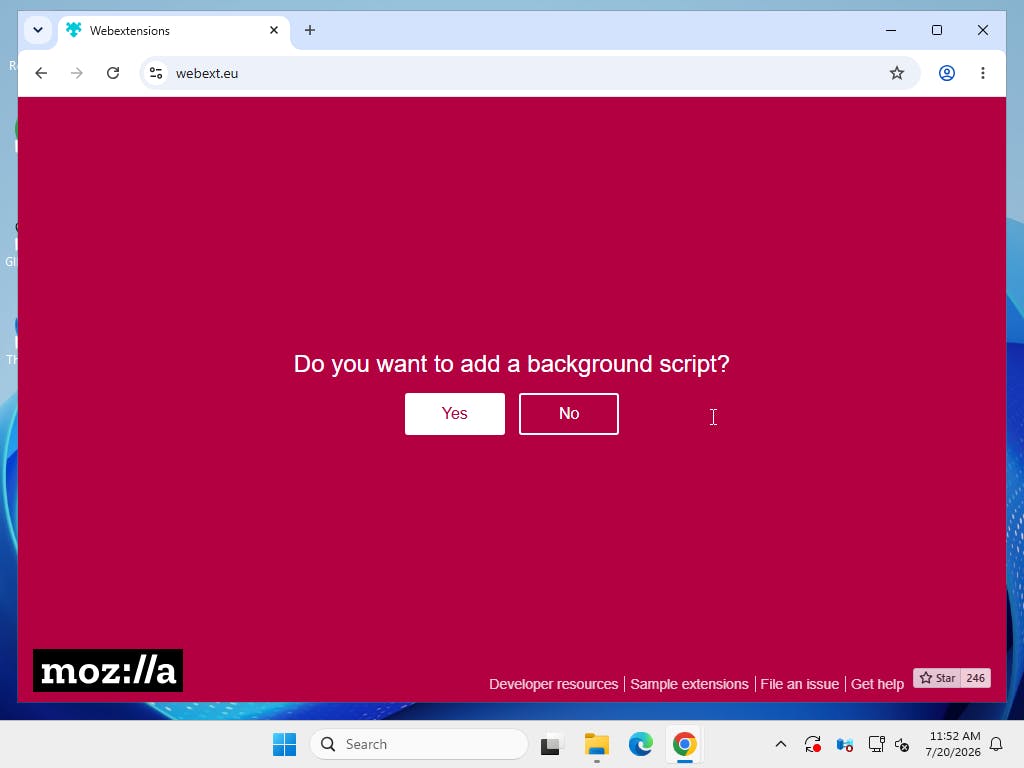
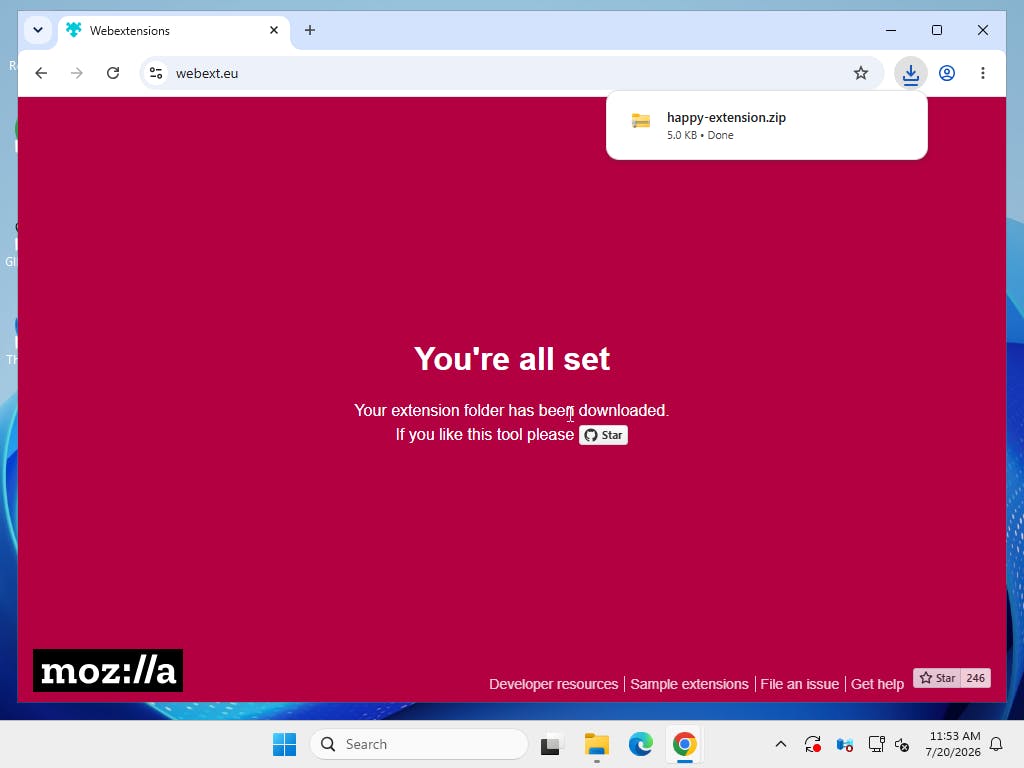
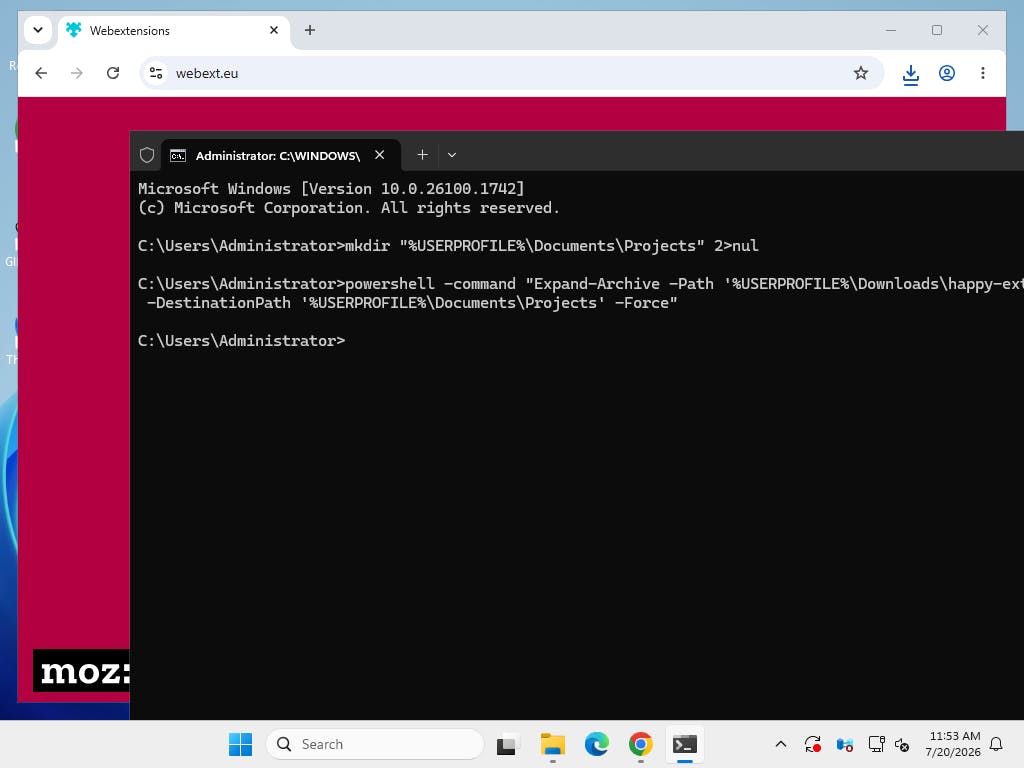
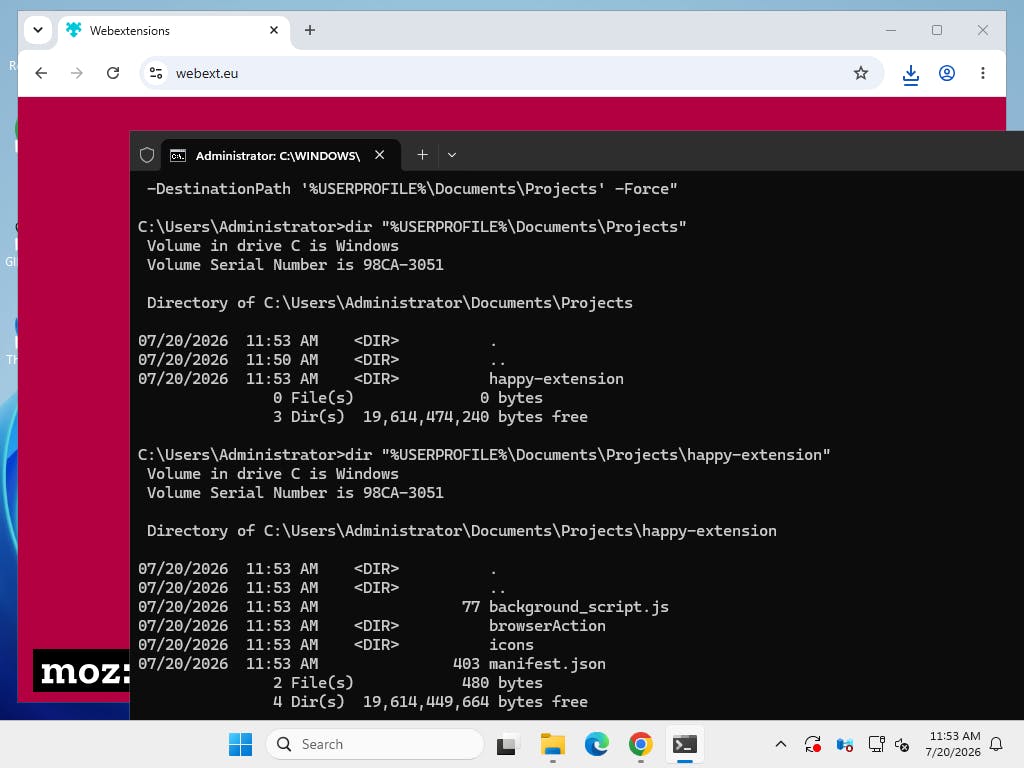
Opus completed the task in 14 actions. It filled out the generator in Chrome, downloaded the project, opened Command Prompt through the Windows UI, typed a PowerShell extraction command, and checked the extracted folder. The evaluator inspected manifest.json, the background script, and the browser-action files, compared them against the task's expected project structure, and gave the run a score of 1.0 for correctness.
The whole episode ran inside one sandbox. The setup block staged the files before the agent's first screenshot, and the evaluator ran after its last action.
Results
OSWorld ships 49 Windows tasks. We evaluated 46 of them once with each model. We left out two Google Drive tasks because they require private OAuth and browser credentials that are not included with the benchmark. We also left out a live speedtest.net export task whose Chrome/CDP setup was not reliable enough to score.
| Category | Tasks | Claude Opus 4.6 | GPT-5.4 |
|---|---|---|---|
| excel | 11 | 45.45% | 27.27% |
| word | 9 | 33.12% | 55.34% |
| ppt | 7 | 52.99% | 51.43% |
| multi_app | 19 | 14.84% | 9.58% |
| Average | 46 | 31.54% | 29.13% |
Note: OSWorld's reference environment is a specific VM image, and results on the leaderboard come from that image. A Daytona sandbox is not that image. It is a Windows environment we prepared to satisfy the same tasks, and differences in application versions or OS behavior can change a score. Before the runs, we fixed four evaluator problems in the fork: a CSV comparison that treated a UTF-8 byte-order mark as content, two Word tasks whose whole-document comparison passed the untouched input, and a PowerPoint color check that raised instead of returning a score. Each change is documented in the fork and covered by a regression test. Read the table as results from this environment, not as leaderboard entries.
Run it yourself
1git clone --branch feat/daytona-windows https://github.com/mu-hashmi/OSWorld.git2cd OSWorld3pip install -r requirements.txt45export DAYTONA_API_KEY=... # app.daytona.io/dashboard/keys6export ANTHROPIC_API_KEY=... # or OPENAI_API_KEY
Build the Windows snapshot once. This creates a sandbox, installs the OSWorld guest server and the applications the tasks need, and saves the result as a snapshot every run starts from.
1python -m desktop_env.providers.daytona.build_snapshot --os windows
While building the snapshot may take several minutes, everything after that is measured in seconds: in our evals, creating a sandbox from the snapshot took 10.5 seconds, and the desktop plus OSWorld guest server were ready 32 seconds after the initial request.
Then run a single task — this is the browser-extension task from the walkthrough above:
1python run.py \2 --provider_name daytona \3 --os_type Windows \4 --headless \5 --observation_type screenshot \6 --pyautogui_policy strict_terminate \7 --model gpt-5.4 \8 --test_all_meta_path evaluation_examples/test_windows.json \9 --task_id 74d5859f-ed66-4d3e-aa0e-93d7a592ce41
Or the full set in parallel:
1python scripts/python/run_multienv.py \2 --provider_name daytona \3 --os_type Windows \4 --observation_type screenshot \5 --pyautogui_policy strict_terminate \6 --num_envs 3 \7 --model gpt-5.4 \8 --test_all_meta_path evaluation_examples/test_windows.json \9 --exclude_task_id 46407397-a7d5-4c6b-92c6-dbe038b1457b \10 --exclude_task_id 897e3b53-5d4d-444b-85cb-2cdc8a97d903 \11 --exclude_task_id 26660ad1-6ebb-4f59-8cba-a8432dfe8d38
Results, screenshots, and recordings land in ./results, and python show_result.py prints the score table.
How it works underneath
OSWorld normally runs its desktop inside a VM. The Docker provider, for example, starts a container that boots the official VM image under QEMU, and the agent talks to a small HTTP server inside that VM.
Instead of booting a VM image inside the Daytona sandbox, we use the sandbox itself as the desktop. The OSWorld guest server runs directly in the sandbox, and OSWorld's controllers talk to the same endpoints they always have. Nothing downstream of the provider knows the difference.
Where the code stands
As of publishing date, the Ubuntu side of the daytona provider is merged into OSWorld and documented in its README. The Windows extension is submitted upstream and available in our fork in the meantime.